How to Set Up Missed-Call Text-Back So No Caller Goes Cold
You’re with a customer, on a job site, or finally sitting down to lunch when the phone rings. You can’t pick up. The caller hears your voicemail greeting, hangs up without leaving a message, and dials the next business on their list. You notice the missed call an hour later and call back. Nobody answers.
This happens far more often than most owners realize. Business phone provider Quo found that only about 15% of callers leave a voicemail when a call isn’t answered, and that 69% of missed business calls don’t get a callback within 48 hours. A missed call with no voicemail doesn’t look like a lost lead. It looks like a number in your call log.
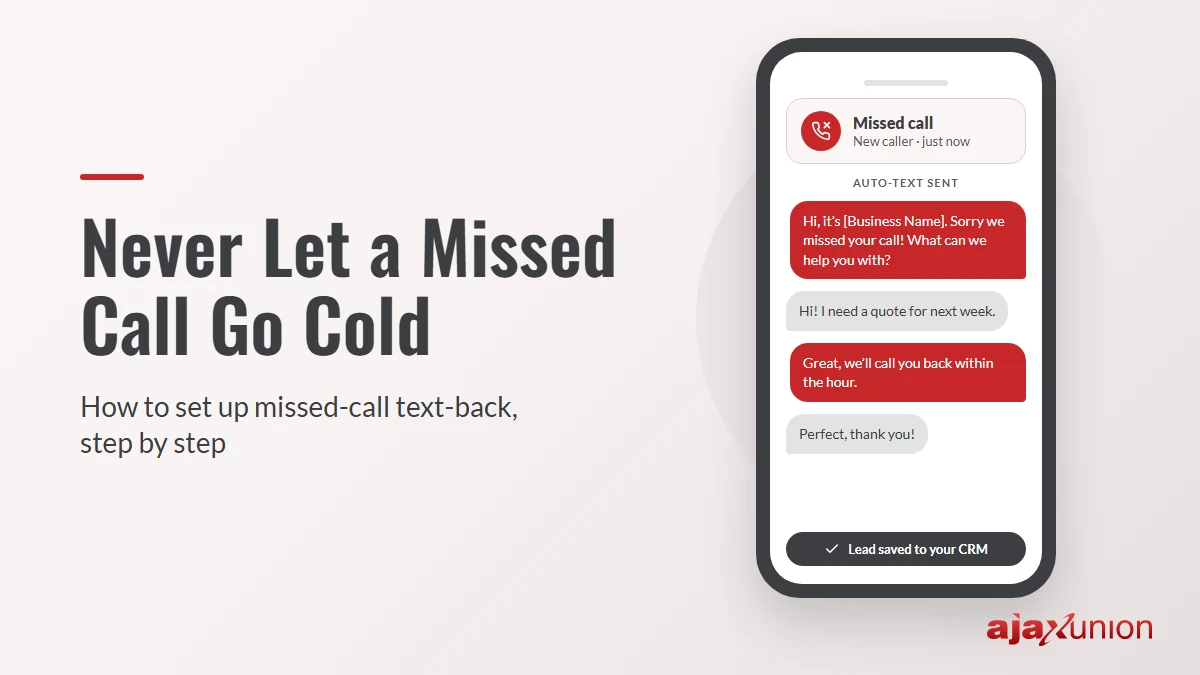
Missed-call text-back closes that gap. When a call goes unanswered, an automatic text goes to the caller within seconds, so they hear from you while they’re still deciding who to contact. It also lets them tell you what they need without waiting for a callback. Here’s how to set it up, step by step.
1. Get Your Business Number Ready to Send Texts
First, make sure the number people call can also send and receive texts. Many landlines and desk-phone systems can’t. You have two common options: text-enable your existing number through a business texting provider, or use a number from your CRM or marketing platform that handles both calls and texts. Either way, the text should come from the same number the caller just dialed. A reply from an unfamiliar number looks like spam.
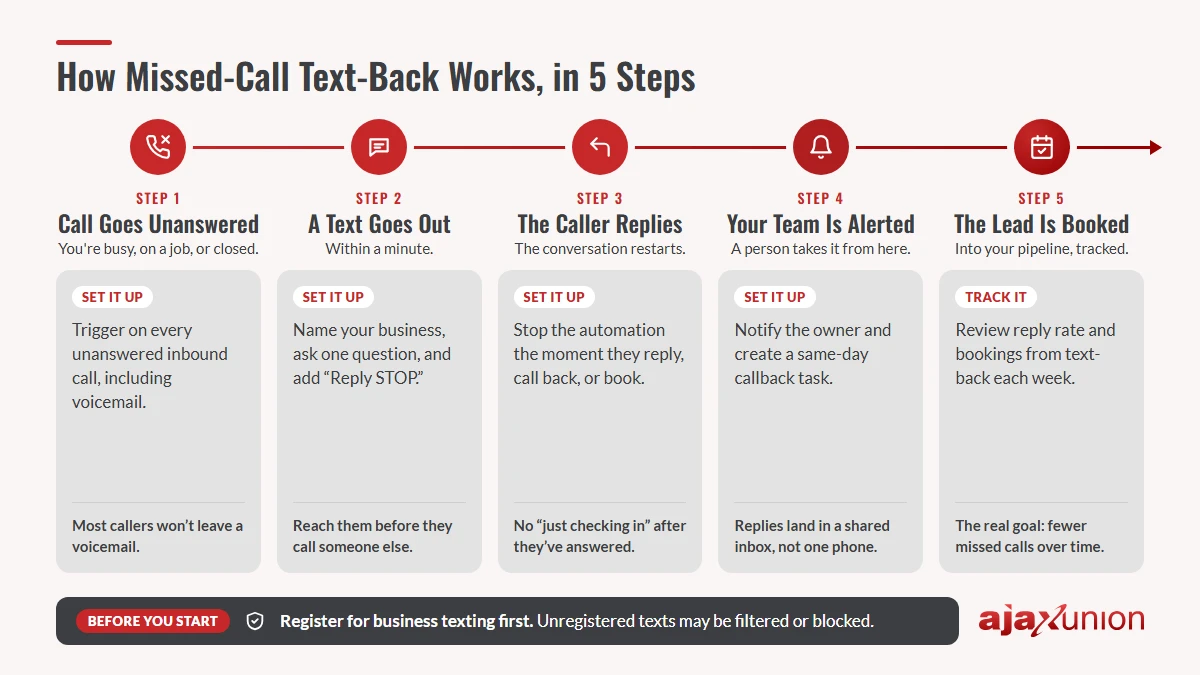
Register for business texting. In the U.S., carriers require businesses that send texts from a standard 10-digit number through software to register their brand and describe how they use texting. This is called A2P 10DLC registration. Unregistered texts are likely to be filtered or blocked, which means your missed-call text may never arrive. Registration involves a short form and a review period, so start it first.
Know the consent basics. Registration covers delivery. Whether you’re allowed to send a particular text is a separate question, governed by laws such as the Telephone Consumer Protection Act (TCPA). Keep your missed-call text a direct, one-time reply to someone who just contacted you, not a marketing message. Identify your business, include a way to opt out (such as “Reply STOP to opt out”), and check with your legal advisor about the rules for your business and state.
2. Write a Text That Restarts the Conversation
The best missed-call texts are short, clearly from you, and easy to answer. Each one should:
- Say who it’s from, with your business name in the first few words
- Acknowledge the missed call without over-apologizing
- Ask one simple question, such as what they need help with
- Set an expectation for when a person will follow up
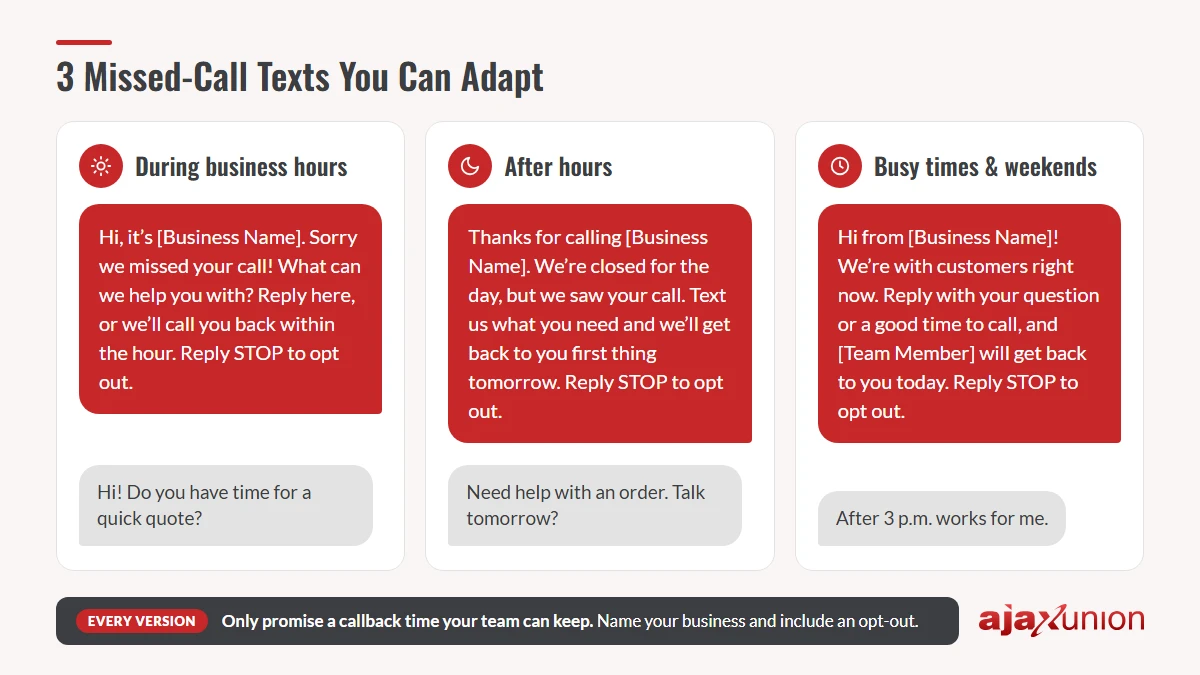
Then add your opt-out line. Leave links and promotions out of this first message; it’s a conversation opener, not an ad. Most businesses need two or three versions depending on when the call comes in. Here are illustrative examples you can adapt:
| When the call is missed | Sample text |
|---|---|
| During business hours | Hi, it’s [Business Name]. Sorry we missed your call! What can we help you with? Reply here, or we’ll call you back within the hour. Reply STOP to opt out. |
| After hours | Thanks for calling [Business Name]. We’re closed for the day, but we saw your call. Text us what you need and we’ll get back to you first thing tomorrow. Reply STOP to opt out. |
| Busy times and weekends | Hi from [Business Name]! We’re with customers right now. Reply with your question or a good time to call, and [Team Member] will get back to you today. Reply STOP to opt out. |
Only promise a callback time your team can keep. A text that says “within the hour” followed by silence until tomorrow does more harm than sending no text at all.
Personalize where you can. Merge fields fill in details like your business name, the assigned team member, or, for callers already in your CRM, their first name. This complete guide to merge fields shows how they work in texts and emails.
3. Build the Automation
Most CRM and phone platforms build this workflow from a trigger, a few conditions, and an action.
Trigger: an inbound call that wasn’t answered. Decide whether calls that reach voicemail should count too. Usually they should, since even callers who leave a message appreciate knowing it arrived.
Timing: send the text within a minute or so. The value of the text comes from reaching people before they call someone else.
Conditions: branch by business hours so each caller gets the right version, skip numbers that have opted out, and send the text only once per number within a set window (for example, 24 hours). Someone who calls three times in a row shouldn’t get three texts.
Record keeping: create or update a contact for the caller and add tags such as “missed call” and the lead source. Tags let you report on missed calls later and trigger the next steps automatically, as long as they’re applied consistently. This guide on how tags trigger (or silently break) your automations explains what to check.
4. Hand Every Reply to a Person
The text buys you time. A person still has to close the loop.
Alert the right person when someone replies. When a caller texts back, notify the team member who handles new inquiries and create a task to respond. Replies should land in a shared conversation inbox rather than one person’s phone, so nothing gets lost when someone is out.
Set stop rules. The automation should stop the moment the caller replies, calls back, or books. If there’s no reply, one gentle follow-up the next day is plenty. After that, let a person decide whether to call.
Let AI handle the repeat questions. After hours, an AI agent can answer common questions from your own FAQs, ask a few intake questions, and route the conversation, so your team starts the next morning with context instead of a bare phone number. In Ajax Union Martech, for example, you can build AI agents that route conversations and answer questions. Keep pricing, sensitive questions, and judgment calls with your team.
From there, the caller follows the same path as any other inquiry: into your pipeline with an owner and a clear next step. Our guide to building a lead follow-up system walks through that path.
5. Test It, Then Track What It Recovers
Before you rely on it, test the whole flow from a phone number that isn’t in your CRM:
- Call during business hours, let it ring out, and confirm the right text arrives within a minute
- Repeat after hours and confirm the after-hours version arrives
- Reply to the text and confirm the alert and task reach the right person
- Text STOP and confirm the number is opted out
- Call twice in a row and confirm only one text goes out
Once it’s live, review a few numbers each week:
- Missed calls: how many calls went unanswered, and at what times
- Reply rate: the share of text-backs that got a response
- Booked from text-back: replies that turned into appointments, quotes, or sales
- Time to callback: how long people who replied waited to hear from a person
If most missed calls land at the same times of day, that’s a staffing or call-routing question worth solving. Missed-call text-back is a safety net: the goal is to need it less over time, while making sure nobody who slips through gets ignored.
Make Missed-Call Text-Back Easier to Run
You can piece this together with a texting app, a phone system, and a spreadsheet, but it’s far easier when everything lives in one place. Ajax Union Martech brings business phone numbers, texting, missed-call workflows, a shared conversation inbox, your CRM pipeline, AI agents, and reporting into one platform. A missed call becomes a contact, a text, a task, and a tracked lead without anyone copying details between apps. The Ajax Union team is available every day to help you set it up, from texting registration to the messages themselves.
Curious how many leads your missed calls might be costing you? Join one of Ajax Union’s free monthly strategy sessions and talk it through with our team.
Frequently Asked Questions
Will customers find an automatic text annoying?
Most won’t, as long as it’s a single, relevant reply to a call they just made. Keep it short, name your business, and stop as soon as they respond.
Does missed-call text-back work for landline callers?
No. The text only reaches numbers that can receive texts. Many platforms detect landlines and skip them, and your team’s regular callback still covers those callers.
Should the text go out after hours?
Yes, with an after-hours version that sets a clear expectation for when you’ll respond. Evening and weekend callers are often the ones most likely to move on to another business.
Thanks for reading!